Usb To Hdmi Adapter Philippines. Usb 3 to hdmi adapter supports video resolutions up to 2560 x 1440 including 1920x1080 (1080p) Usb 3.0 to hdmi adapter turns a usb 3.0 port into an hdmi output with 1920×1200/1080p video support.
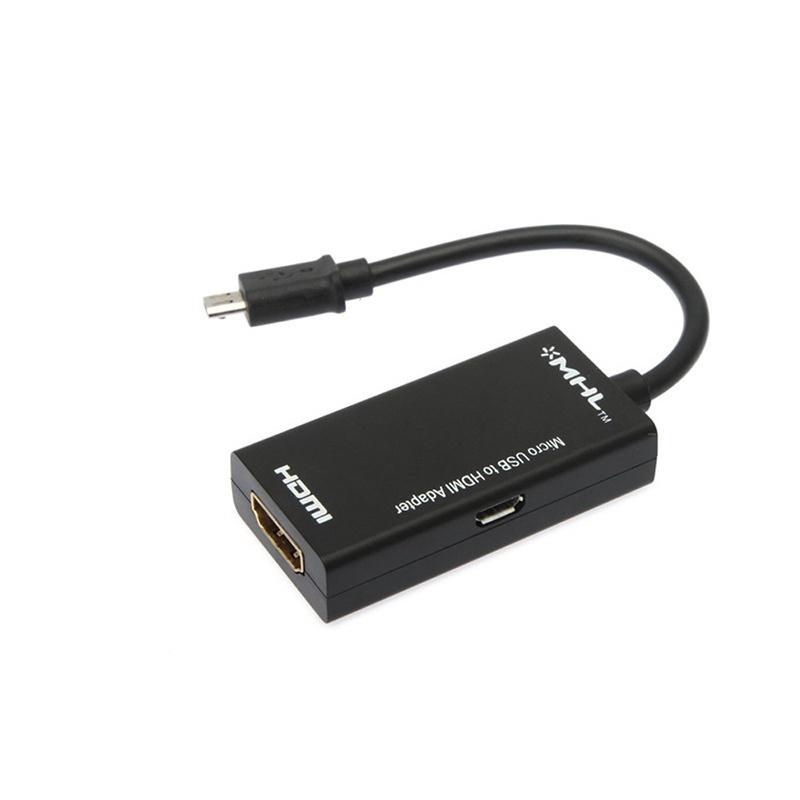
【Ready Stock】Black Micro USB to HDMI TV Out HDTV MHL from shopee.ph
Usb 3.0 to hdmi adapter. This adapter allows you to mirror your mac or. Solution for connecting your laptop or notebook to an external display and other essential.
Usb 3.0 To Hdmi Adapter.
Usually, a computer comes with 2 usb ports and 1 hdmi port. *usb to hdmi (female) adapter *this usb adapter is used to connect hdtv, monitor and projector with hdmi port. If the only hdmi port is occupied by another device, or the hdmi port gets damaged, then usb to hdmi plays an important in this situation.
Multiple Ports Design With 1X Usb.
2 connect the other end to the hdmi port on your tv. 1 connect one end of a universal hdmi cable into the hdmi adapter. 1 m 2 m 3 m 5 m 10 m 1.4v 15 m 1.4v 20 m 1.4v 25 m 1.4v 30 m 1.4v with booster.
Not All Mobile Devices Supports Mhl Please Refer To The Compatibility List Mhl Micro Usb To Hdmi Adapter Cable | Lazada Ph
Anguilla antigua and barbuda argentina aruba australia austria bahamas bangladesh barbados belarus belgium bermuda bolivia brazil bulgaria canada cayman islands chile china mainland colombia costa rica croatia curaçao cyprus czech republic denmark dominican republic ecuador egypt el salvador estonia finland france germany greece grenada guatemala. Usb 3.0 to hdmi adapter. Usb 3.0 to hdmi adapter turns a usb 3.0 port into an hdmi output with 1920×1200/1080p video support.
If Your Tv Has Multiple Hdmi Ports, You May Use Any Of The Ports.
1x hdmi dvi adapter 2x usb adapter 2x hdmi 4k. It offers portable flexibility thats great for. Advanced vl100 & ps176 chipsets significantly ensure stable signal transmission and avoid picture delay or flickering.
The adapter also features an ethernet port, which means it can replace as many. Audio must be transmitted separately. Of china malaysia mexico mongolia montserrat morocco nepal netherlands new zealand nicaragua nigeria norway oman panama paraguay peru philippines poland portugal puerto rico qatar romania russian federation saint kitts and nevis saint lucia saint vincent and the.
How To Connect Rj45 Pin . Here we offer some clarification of the various 'standards'. (transmitter) pins are connected to the corresponding rx (receiver) pins, plus to plus and minus to minus. RJ45 Pinout & Wiring Diagrams for Networking BDFIX from bdfixforum.blogspot.com Here we offer some clarification of the various 'standards'. 1st, issue " show interface " command to verify the ethernet port status. Rj45 (8pin) terminal or printer cable configuration.
How To Connect Macbook Air To Mac Desktop . Going wireless is a great idea in a situation like this, as it gives you one less cable to plug in any time you want to move things around (also check out our roundup of the best. This is very essential whenever you log from another machine to mac. How To Format Sd Card On Mac Air All About Information from fattah.bestvacuumcleanerr.com Since your said your macbook air is from 2011, it should have the thunderbolt, and you can connect the two computers using the following instructions: Microsoft remote desktop (rdp) for mac is a useful way to work with windows apps and resources. How do i connect two monitors to my macbook air 2020?
Can I Connect Lan To Mobile . Place a second router that comes with an rj45 cable from the main router's lan port to the second router lan port. The users can easily get around the speed caps on unlimited mobile data plans. WiFi Band Dual 5G Wireless Adapter, Bluetooth WiFi USB from exo-l.com That is why you can get a tether connected to the router with the ethernet cable to ensure perfect results. How can i share my mobile broadband connection? Usually it is the router which receives the internet connection cable from your internet service provider.


Comments
Post a Comment